

No bank connection
Javger does not connect to your bank account. You manage your income, spending and account records.
Personal finance. Made clearer.
From everyday spending to future plans. Keep your accounts, budgets and savings together.
iPhone · iPad No bank connection required
01 / TOGETHER, WITH PURPOSE
Every screen has a purpose. Choose what matters to you and take a look inside Javger.
Swipe to explore the screens →
Overview
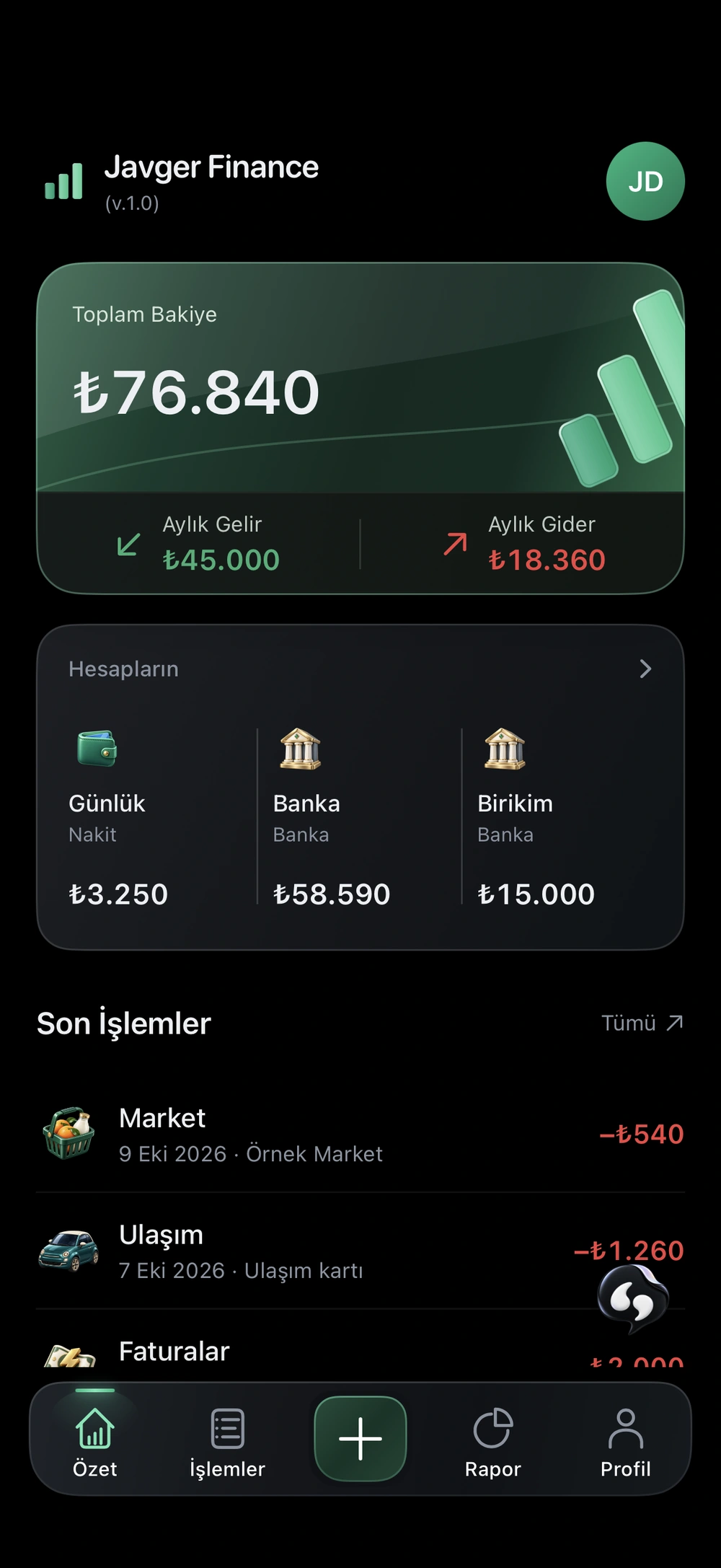
Track your balance, income and spending together. Organise cash, bank and card accounts using your own records.
Core money tracking
02 / A SMALL TASK, LESS EFFORT
Scan a receipt. Review the information. Choose the right account and save.
Information is extracted from the photo.
Check the amount, category and account.
The transaction is saved with your approval.
No Pro required. 50 credits per scan. Review AI results before saving.
SAMPLE GROCERY RECEIPT
Sample receipt ready. Try scanning it.
This is a demonstration. No photo is uploaded and no credits are used.
03 / A MORE INFORMED NEXT STEP
A report makes the breakdown visible. A budget sets the boundaries. Explore the connection in the examples below.
| Category | Amount | Share |
|---|---|---|
| Rent | ₺12,000 | 65.4% |
| Groceries | ₺3,100 | 16.9% |
| Bills | ₺2,000 | 10.9% |
| Transport | ₺1,260 | 6.9% |
Set a grocery limit and see how ₺3,100 of sample spending fits within it.
Example calculation only. Your real budget is not changed.
04 / JAVGER ASSISTANT

A starting point for understanding your financial records. Choose a prepared example to explore the approach.
Pro · 5 credits per message
Javger AssistantIn the sample records, rent is the largest expense at ₺12,000, or 65.4% of the ₺18,360 total.
No live AI runs here. These examples are not investment advice. AI results in the app can contain errors.
05 / TRANSPARENCY IS PART OF THE DESIGN
Javger does not connect to your bank account. You manage your income, spending and account records.
Assistant and receipt scanning explain what content is processed and ask for consent for each feature.
You can request deletion of your account and related records in the app. Retention exceptions are explained in the policy.
Data deletion detailsNo. You define your accounts in the app and record transactions manually or by scanning receipts. Recording a transfer between accounts does not move real money.
No. Receipt scanning is available with a sufficient credit balance. Each scan costs 50 credits. Each assistant message, available with Pro, costs 5 credits.
Assistant and receipt scanning request consent separately. Content required for the permitted request is sent through Supabase to Anthropic. Review the results before using them; AI can make mistakes.
New receipt photos and drafts are stored on your device in account-specific areas. Financial records sync to your cloud account. Assistant does not create persistent chat history. Provider data-processing terms are explained in the Privacy Policy.
Javger Finance is built for iOS or iPadOS 26.2 and later. A download link will appear here when the app is released on the App Store.
JAVGER / FINANCE
Coming soon to the App Store for iPhone and iPad.
Preparing for launchGet in touch